

I had the opportunity to attend NVidia’s “Editor’s Day” in San Francisco last week, in preparation for the launch of their RTX Spark line of laptops and desktops. It was a day of presentations about AI, and how the new hardware enables local AI processing, and the benefits of that shift. NVidia is very good at creating a market for its products. It did this with 3D gaming in general, various technologies within it, including Ray tracing, DLSS, etc. It did this with CUDA and eventually GPU accelerated AI in general. Now they are doing it with local on-device AI. One of the major hardware limitations for running complex AI models is RAM. Unified memory architectures provide flexibility, allowing GPUs access to up to the entire capacity of the system memory, which in turn opens up more AI model options.
NVidia (alongside Apple M1-M6, Intel Lunar Lake, and AMD APUs) offers unified memory architecture in its new Spark RTX chips. So now they are looking for a reason that users ‘need’ that functionality, and in this case, local AI is the feature that benefits the most from that unified memory functionality. Now this is not a totally manufactured need; people are discovering the downsides of cloud based AI, regarding connectivity requirements, limited token budgets, and more security risks.
 Local AI Processing
Moving AI processing to the local machine requires both hardware capable of hosting those models and doing that processing, and software that is flexible enough to direct some or all of that processing locally. So they have been working with Microsoft and other software partners, to get local processing options built into common AI tools. They have even worked with Adobe to get certain Creative Cloud functions that are currently processed in the cloud, to have local versions available. That includes image masking and audio enhancement in Premiere, and object removal in Photoshop. There are new UI options for choosing between cloud and local processing of assets. They have done the same things with AI tools that I am less familiar with, allowing users to send their prompts to local models versus cloud ones, and some tools are even smart enough to route tasks to the optimal choice, as a hybrid solution.
So bringing processing back to the local system, for reliability and security, is one of the key things NVidia is marketing with the RTX Spark platform. The second is agentic AI, which is the application of AI models to control your computer and applications, instead of just generating text and images. The development of the standardized MCP (Model Context Protocol) interface allows AI models to interact with applications in a consistent way. So you use an AI model to control your software, and if your software is an AI application, like ComfyUI for image generation, it is running its own model, that also resides in memory, so you need a lot of RAM for these approaches to doing work. And large amounts of RAM is what RTX Spark offers users. So those trying to do AI based development or content creation can benefit from the large memory space available on RTX Spark systems.
 ARM Architecture
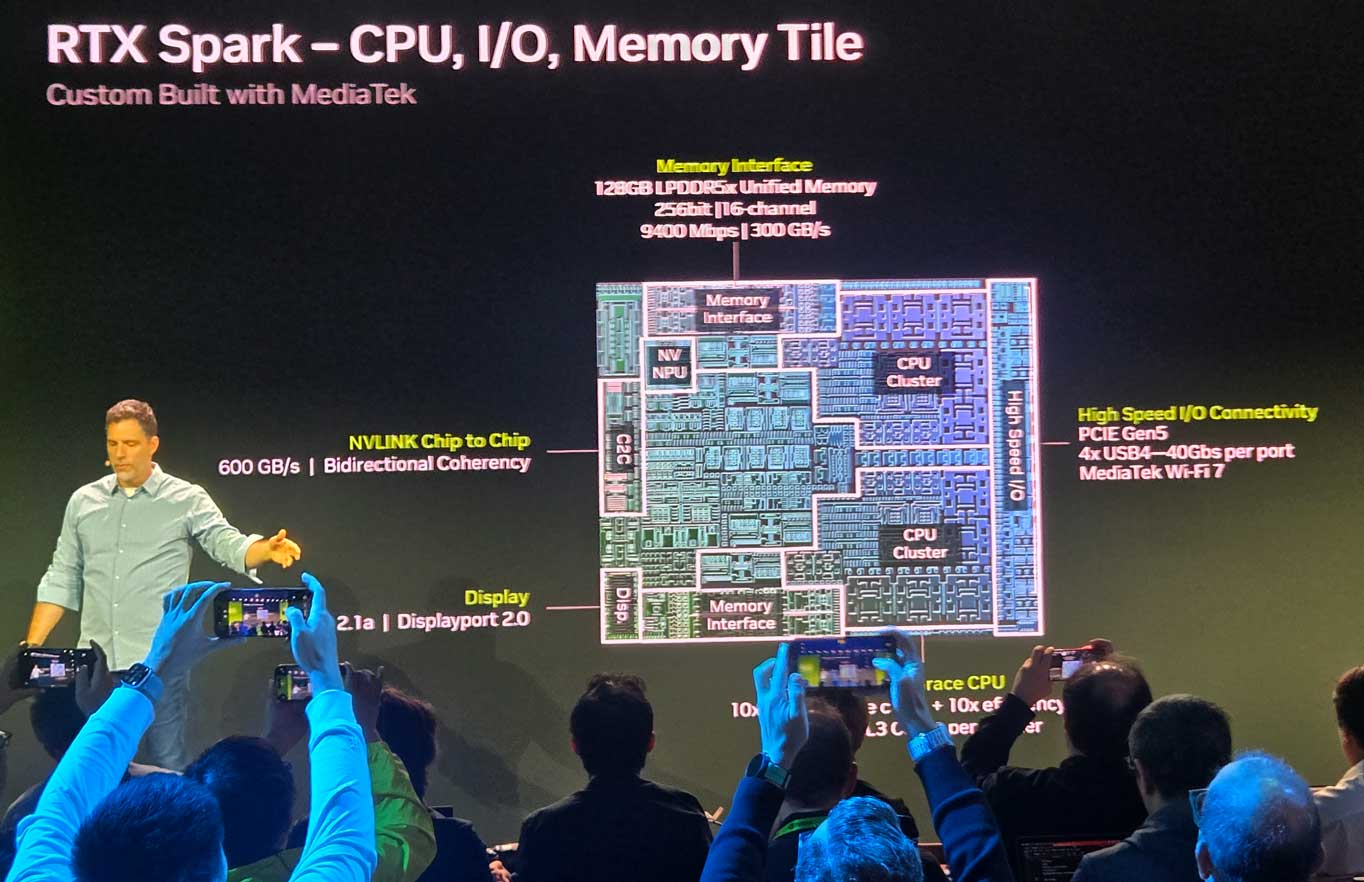
But there is a catch, in that the MediaTek Cortex CPU at the heart of the SparkN1x chip, is an ARM processor, not an x86 processor that most PC users are familiar with. Fortunately Microsoft has offered an ARM compatible version of Windows 11 for the last few years, for Snapdragon processors from Qualcomm, and that is now available for RTX Spark users. And with Microsoft’s Prism interpretation layer, the new ARM version of Windows is much more capable than Windows RT, Microsoft’s first failed foray into the ARM space back in 2012. So most existing software can work on ARM, but drivers and other low level code must be recompiled to work on ARM reduced instruction set. So certain programs can work on ARM via emulation, and others have already been converted to work on ARM natively. This is the benefit of Windows for ARM existing for the last few years, as that has allowed time for many applications to develop ARM native versions, but this new chip is (on paper at least) 6 times more powerful than Qualcomm’s fastest option. But certain legacy software and hardware are simply not going to work on an ARM system, and that is just the cost of doing something new.
 Speaking of ‘new,’ NVidia already has a “Spark” product on the market, in the form of the DGX Spark, which was released last March with the Grace-Blackwell GB10 chip and 128GB of RAM. This system runs a DGX version of Linux in a small desktop box, ideal for hosting AI models, and can be clustered via 200Gb ConnectX-7 links for higher capacity memory pools and larger models. The new RTX SparkN1x is based on the same underlying silicon, but runs Windows for ARM, and shares workloads over network via the new PAIR framework, which distributes tasks between multiple devices, but doesn’t share memory space.
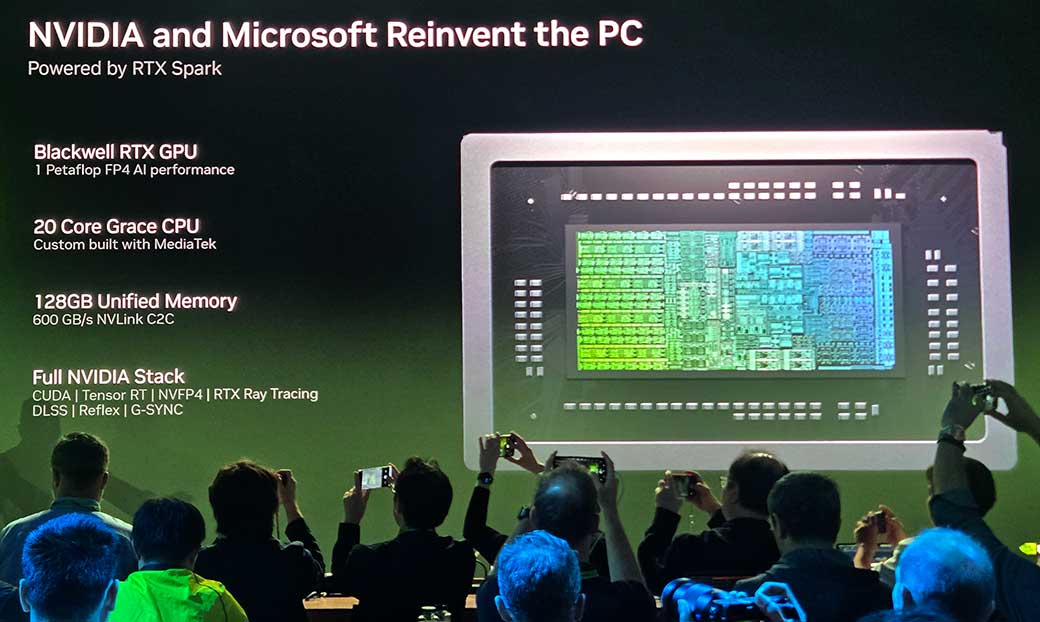
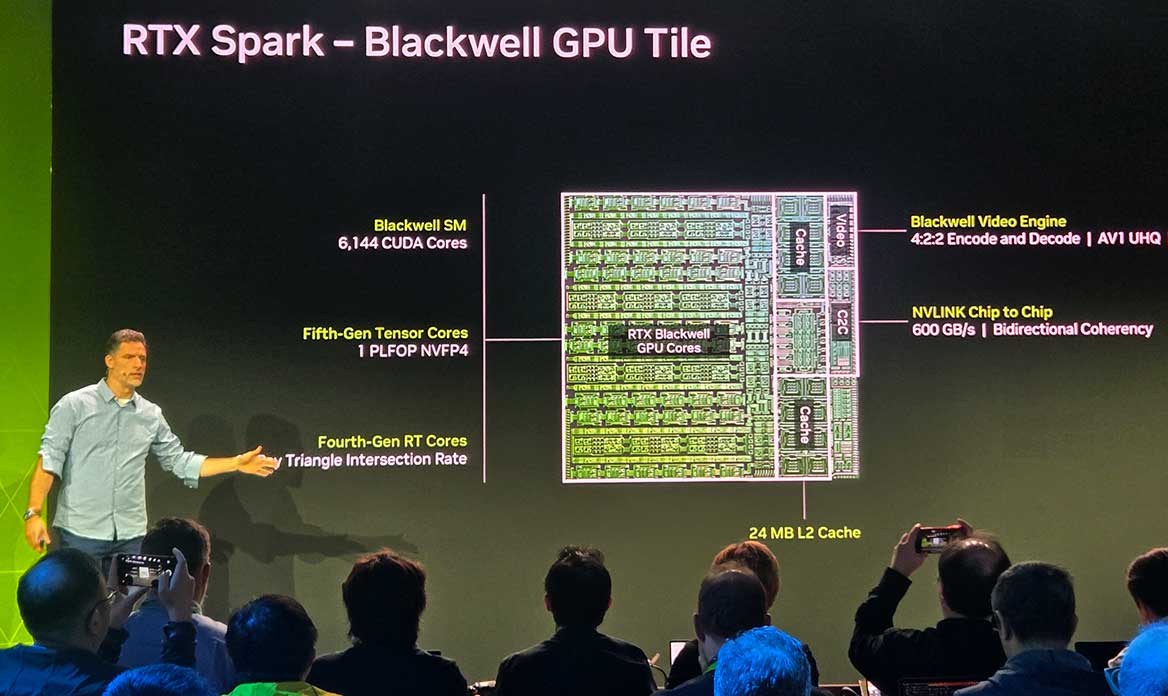 The SparkN1x chip itself is an SOC (system on a chip) that combines a ‘Grace’ 20 core CPU and a Blackwell GPU, with up to 128GB of memory on the die. The 20-core CPU was developed with MediaTek as an ARM processor, with 10 high power Cortex-X925 cores, and 10 efficient Cortex A725 cores. The GPU has 6144 CUDA cores on 48 streaming processors, making it equivalent to the popular GeForce 5070 gaming card. With a TDP of up to 80 watts for the whole chip, this is much less power than the PCIe version of the GPU, but they are still able to squeeze 1PetaFlop of NVFP4 performance out of it, similar to the high powered gaming card. The memory is connected via 256bit bus, equivalent to quad channel DDR5, at 9400Mbps, for 300GB/s of memory bandwidth, which is equivalent to 8-channel memory configurations on traditional workstations.
 RTX Spark Options
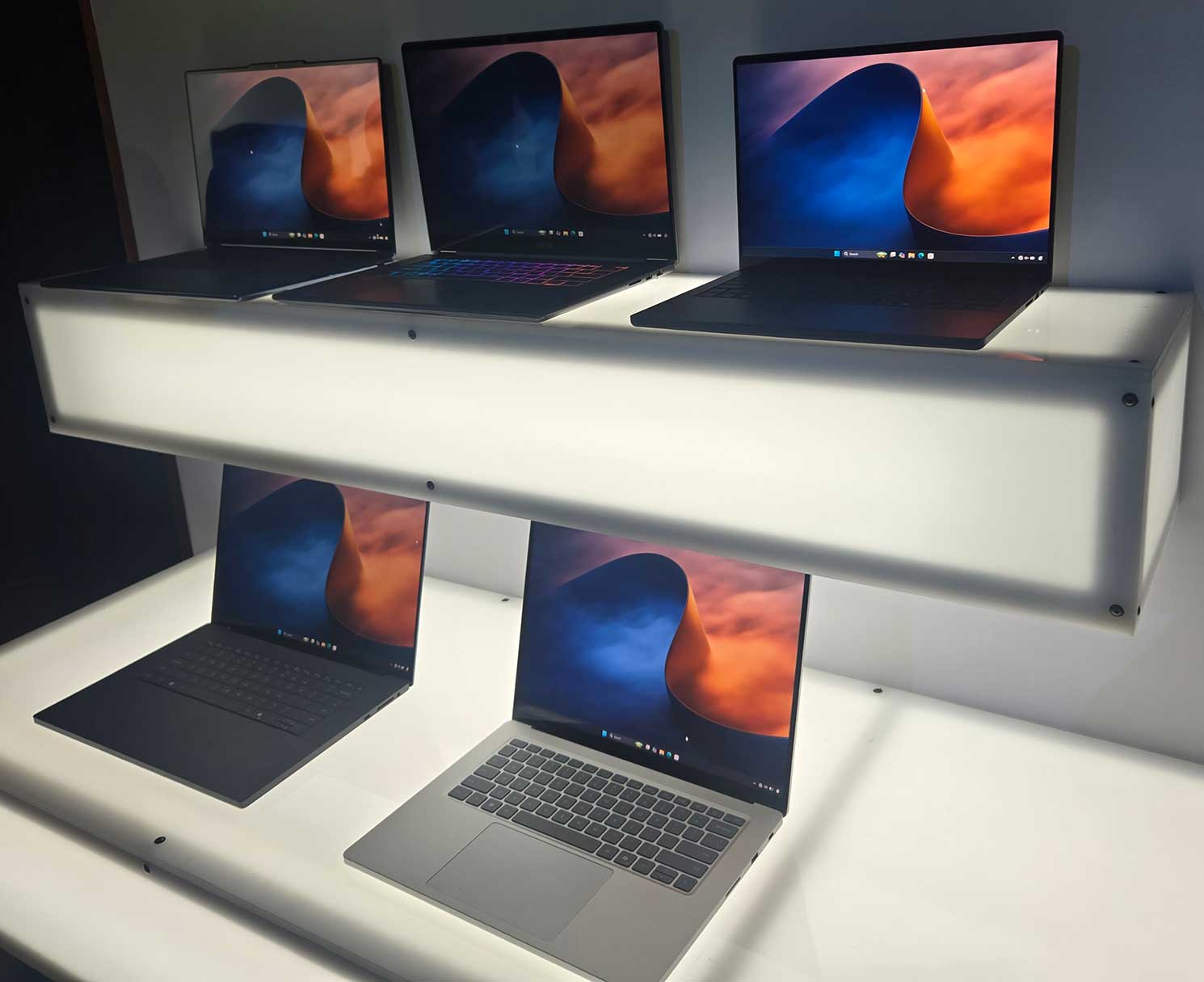
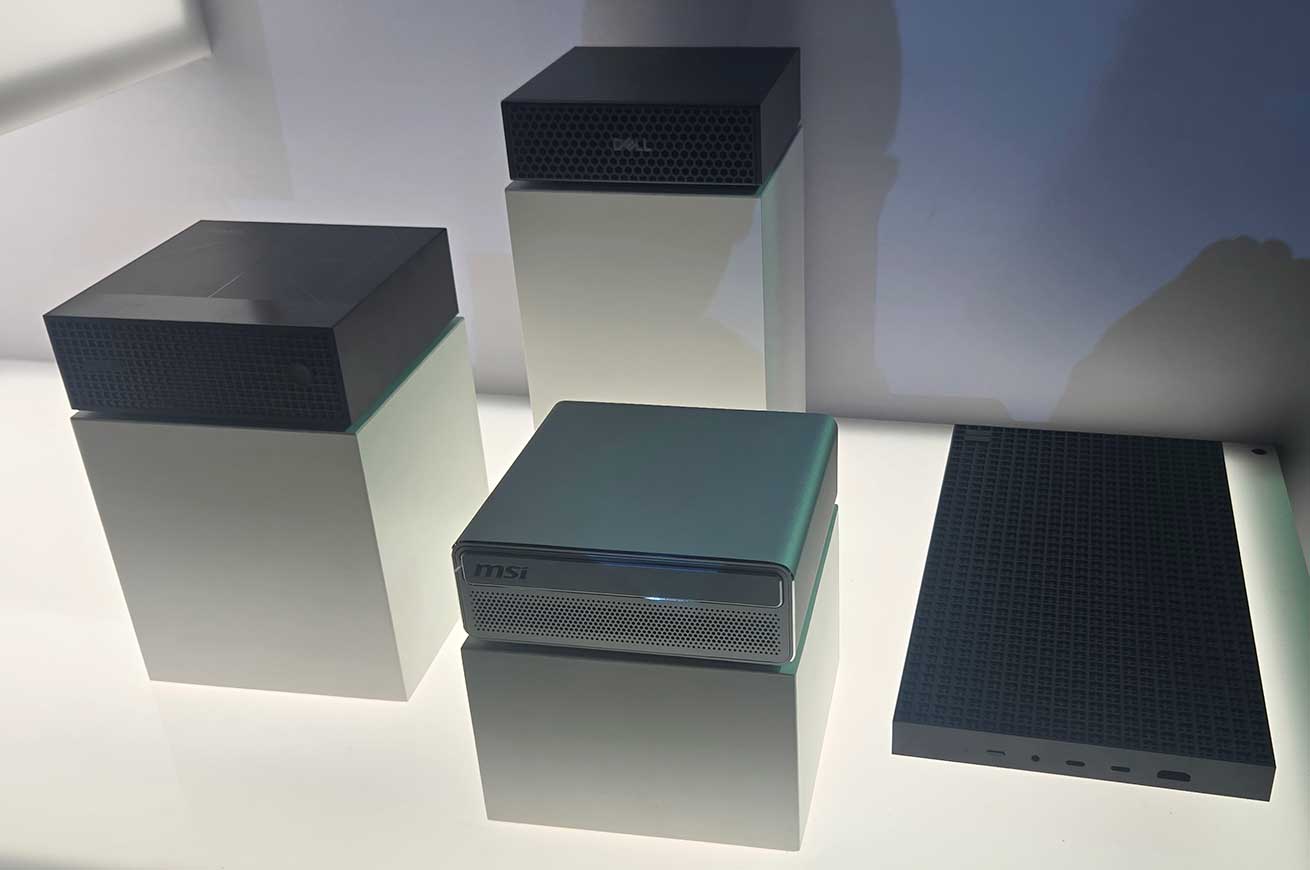
There is also a version of the SparkN1x that has 18 cores (9 and 9) and 5120 CUDA cores, which is presumably a lower binning of the same underlying chip. It can also be packaged with less memory, with options for 24GB, 32GB, or 64GB, to save on costs. It can be packaged in a laptop or a mini desktop unit, although the lower tier chips are only available in laptops. The initial manufacturers are Microsoft, Dell, HP, Lenovo, ASUS, and MSI, who were all showing off their new products at the event I attended. I have spent the last week testing out the new Surface Ultra that Microsoft revealed a few weeks ago, and my full review of that unit will be coming soon.
So there is a whole new type of Windows computer hitting the market; cool, what can you do with it? The first thing I wanted to test was regardless of performance, which applications worked on ARM, and which ones didn’t? Then I wanted to know if this new ARM architecture would allow me to get work done faster, in Creative Cloud, or other applications. The thing that NVidia wanted to highlight, was the AI uses for this new architecture, but I needed to learn a lot more before I could offer much analysis of that issue. I have been using generative AI options in the Adobe toolset (Firefly, Photoshop, and most recently Premiere) to create and edit existing images and videos, but I have done next to nothing with large language models, and nothing with agentic AI.
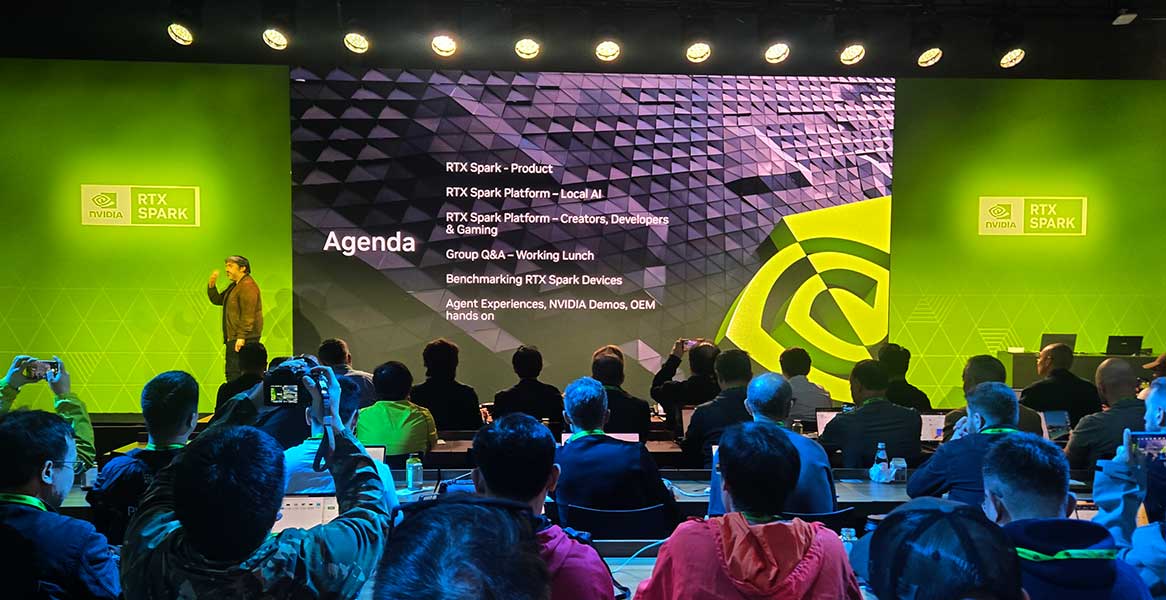 At the event, NVidia was showing off all sorts of slick ways to utilize AI in creative workflows, to better utilize existing tools, and implement new ones. So I was excited to see what agentic AI could do to improve my own workflows, and if I could use it to help me transition from cloud based tools in Adobe Firefly, to locally processed generative tools, like ComfyUI (which I had never heard of until the event). I could just tell my computer what I wanted it to do, and it would do the tricky part of implementing my desired workflow in ComfyUI, or even Blender, via MCP. But where do you even start, when trying to move to an Agentic workflow?
 Setting Up Agentic AI
The first step is a ‘harness’ which ties the rest of the AI components together. There are actually a lot of options for this, including Microsoft’s CoPilot, open source Hermes and OpenClaw, and China’s WorkBuddy. This new Windows for ARM comes prepared to use either Hermes or OpenClaw, and having never heard of either of them, I selected Hermes after a quick bit of Google searching revealed that it was more tailored to content creation, while OpenClaw was a better choice for software development. Then you have to select a ‘model’ to power the intelligence of the system. This is the part that has been offloaded to the cloud in most implementations, but options to return to local processing are appearing. If you are going local you have to choose a specific model to use, from a dizzying array of confusing and similarly named options. I made the expert selection of ‘Qwen3.8 27B’ because it said Recommended next to it in the UI, and it was a smaller download than the 92GB ‘Qwen3.8 Flash Next.’ (Maybe I should have selected the bigger one, because I have been underwhelmed by the results so far.) I then followed a few basic prompts to set it up. But then, what do I want to do with it? What do I trust it to do? What can it do?
I need to do some work in Blender for this review, to check out new features and performance gains, and my experience with Blender is extremely limited. I love the idea of Blender, as a full featured, free, open source 3D program. But when I try to use it, I can barely accomplish the most basic tasks. So if I could get Hermes to operate the UI, while I told it what I wanted to do, that would be the dream. So as a test, I asked Hermes to change the color of the chairs in the demo scene that I had open in Blender from red to blue.
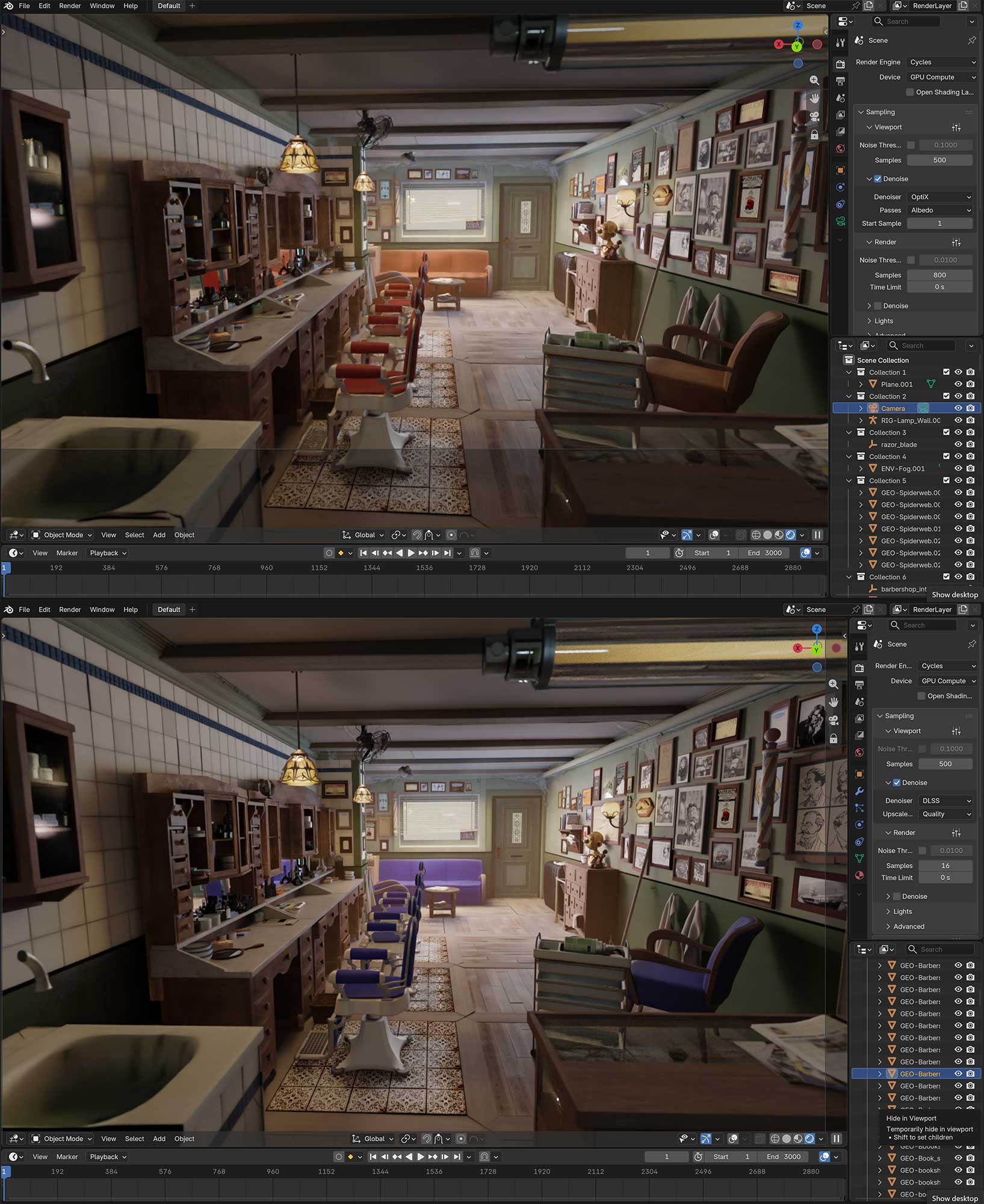 For some reason, (which I still have not fully determined, but partially because of limitations of the ARM64 version of Python) Hermes couldn’t connect to Blender via the regular MCP link that is supposed to allow easy AI communication with and control of applications, and it tried all sorts of things related to compiling Python code, and creating virtual environments to operate within. None of those approaches allowed it to connect via MCP, so eventually it wrote scripts to interface with Blender directly, and analyzed the source project file, doing renders in the background, and using computer vision to analyze them to find the objects in question, and then determined the surfaces and textures involved, and edited them, so that they would be updated in the active scene, which it couldn’t edit directly. In one sense it was super impressive that it came up with a solution, but in another sense it was terrible, because it wrote all sorts of scripts and code that live who knows where, and spent literally hours cranking away on this issue, that it needs to be able to do in under a minute if this is going to be a useful tool in any creative sense.
My next attempt was with ComfyUI, which I had used for the first time that morning, when I had followed step by step instructions to generate an image from a text prompt, and then a video from a text prompt. These were generated from a save workflow that I did not create, so I still in no way know how to ‘use’ this program, but I have seen it work just enough to apprehend its potential power. If I could use Hermes to show me how to utilize existing images and video as inputs for the generative process, I could start doing something useful with this tool right away. So I started with something extremely simple, changing one word in the prompt for the workflow I had loaded in the app.
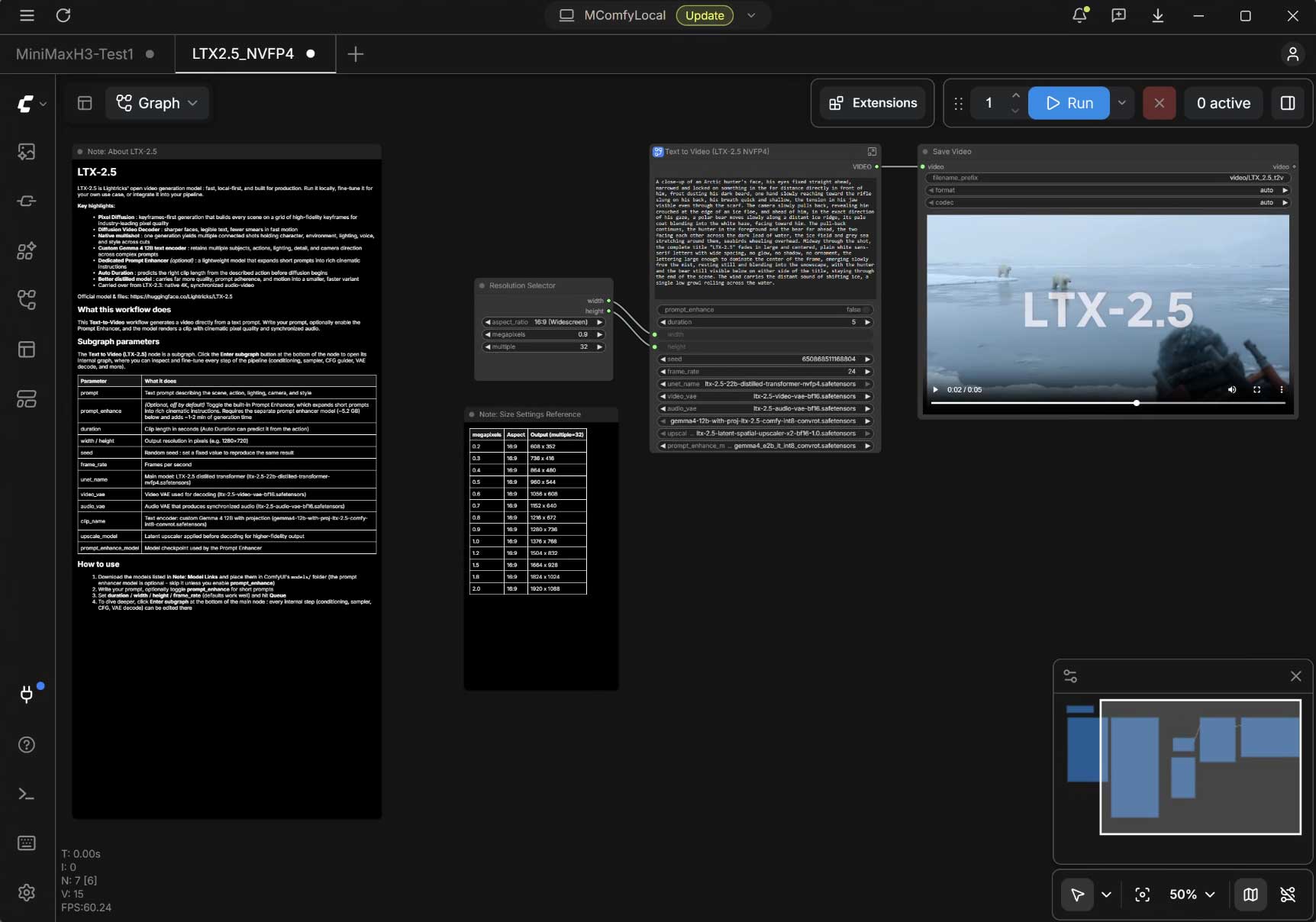
Once again, this led it on a long quest to figure out how to do it, and ended up completing it by reading the original prompt from the last opened file, editing it and storing it on the clipboard, then utilizing the mouse cursor to select a point on the screen that it identified by analyzing a screen shot, then using CTRL-A to select and delete the text, before pasting the revised prompt from the clipboard. All of this took it a mere 40 minutes to complete. I could have done it in 4 seconds of course. I suspect it should be able to do it in 40 seconds via MCP, but for some reason that won’t work, and Hermes can’t figure out why. Of course it tells me all sorts of things that I should be able to do to fix it, but I do them, and it doesn’t fix it, or I ask it how to do them, and it doesn’t really know. I later found an exact prompt to run, from NVidia’s site, to set up an MCP connection to ComfyUI, which claims to have succeeded, but even with MCP access, my basic requests have been taking hours to complete, so we will see if it gets anywhere useful. If I do figure out how to utilize ComfyUI effectively, that will probably be its own article in the near future.
But at the moment, my first attempts at using (or attempting to use) Agentic AI, have not been a positive experience. This is likely due to the steep learning curves on both sides of the relationship, and it will take time for me to learn how to use Hermes, and for Hermes to learn how to do the things that I want. But the generative AI, which I did have experience with going in, has been somewhat more positive. I need to dive further into ComfyUI, potentially without agentic AI’s ‘assistance’ to learn how to use it. That could bring my ongoing generative AI work back from the cloud, and this RTX Spark system is the perfect one to use for that local processing.
 Processing Potential
If it is fed enough work to keep it busy processing all of the time, NVidia calculates that an RTX Spark can do $1200 worth of AI token processing per month. Now most people don’t have that much AI processing going on, or not at a constant rate like that, but it is conceivable that a developer could queue up enough adversarial code reviews and testing based development to keep a unit running full time, and in that case, having an RTX Spark doing most of that processing, instead of sending it to the cloud, could easily cover the cost of the hardware in a few months.
NVidia also pointed out that the RTX Spark can be used to play games. Many games are already ARM compatible or ARM native, and for the ones that aren’t the holdup is usually the anti-cheat functions, which are coming to ARM soon. I tried the brand new game WarDogs, which did not work, and Age of Empires 2, which did, even though it is not ARM native. It passed the performance benchmark with a score of 1122, which is enough for ranked online play. I don’t think too many people are going to be seeking out an RTX Spark to play games on it, but if you do get one for AI development, you can also play games on it. And future releases of related hardware at lower price points are likely coming in the future, and those might be better fits for dedicated gamers, once the software catches up.
 But in the present, I am living the moment that I envisioned 3 years ago when Grace Blackwell chips were first announced, running Adobe Premiere on a unified architecture superchip, and even on Windows. I will have full benchmarks with my upcoming Surface Ultra review, but the short answer is that this laptop is on par with my Core i7 desktop workstation in most real world tests. This is the PC equivalent of the highest end MacBook Pros. And just like with the move to Apple Silicon, there are going to be some bumps along the way, but the potential is there for this to succeed at being “a whole new class of Windows PC.”