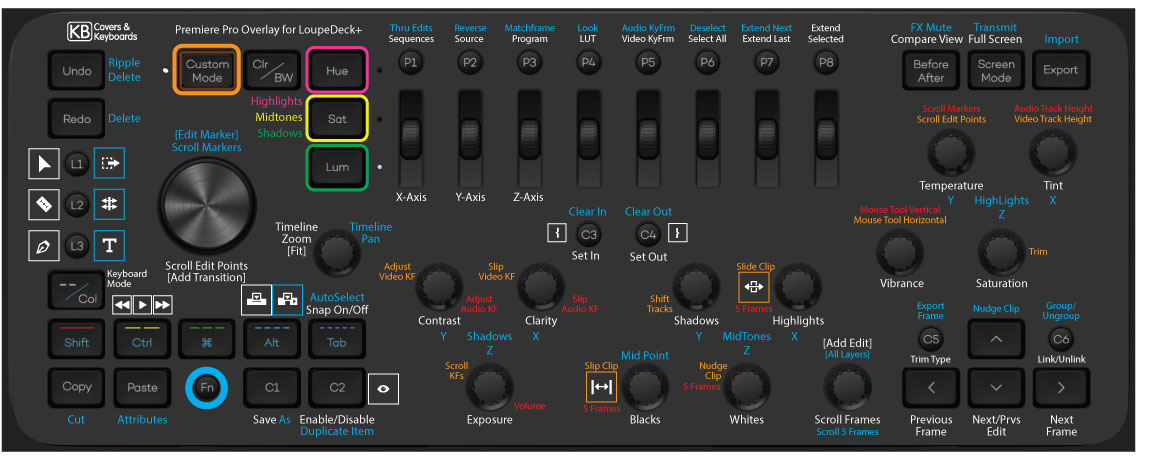
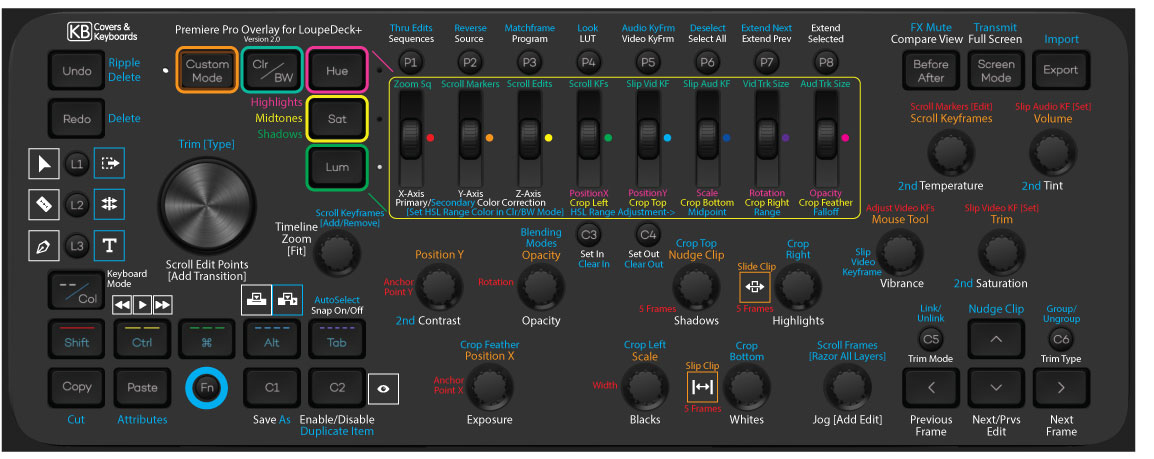
I was a big fan of the Loupedeck+ console as a hardware interface for using Adobe CC apps. I created labeling overlay cutouts that can be placed over the console’s controls, to remind users what each of them do. And the overlays could be swapped out between different applications. They were available for purchase from KBCovers.com, but have now been discontinued, since the Loupedeck+ console is no longer sold by Logitech. There are over 800 overlays in circulation, shipped to customers in over 40 countries, so I will continue to host the matching presets here on my site for all existing users, as well as anyone else who wants to use them. I will attempt to update the presets if needed as the software and drivers change, but I expect those changes to be minimal now that the product is no longer in development. The MX Creative Console is the replacement, and while it doesn’t replicate the wide variety of physical controls on the Loupedeck panel, it has a lower learning curve, and better software support. With the 5.4 drivers and beyond, there is tons of new Loupedeck functionality, but the presets are in an entirely different format. Download all the older format presets here for versions 5.1 and earlier, or get the new presets individual below:
Premiere Pro Overlay 2.1 (Download Preset 54B) Youtube Video
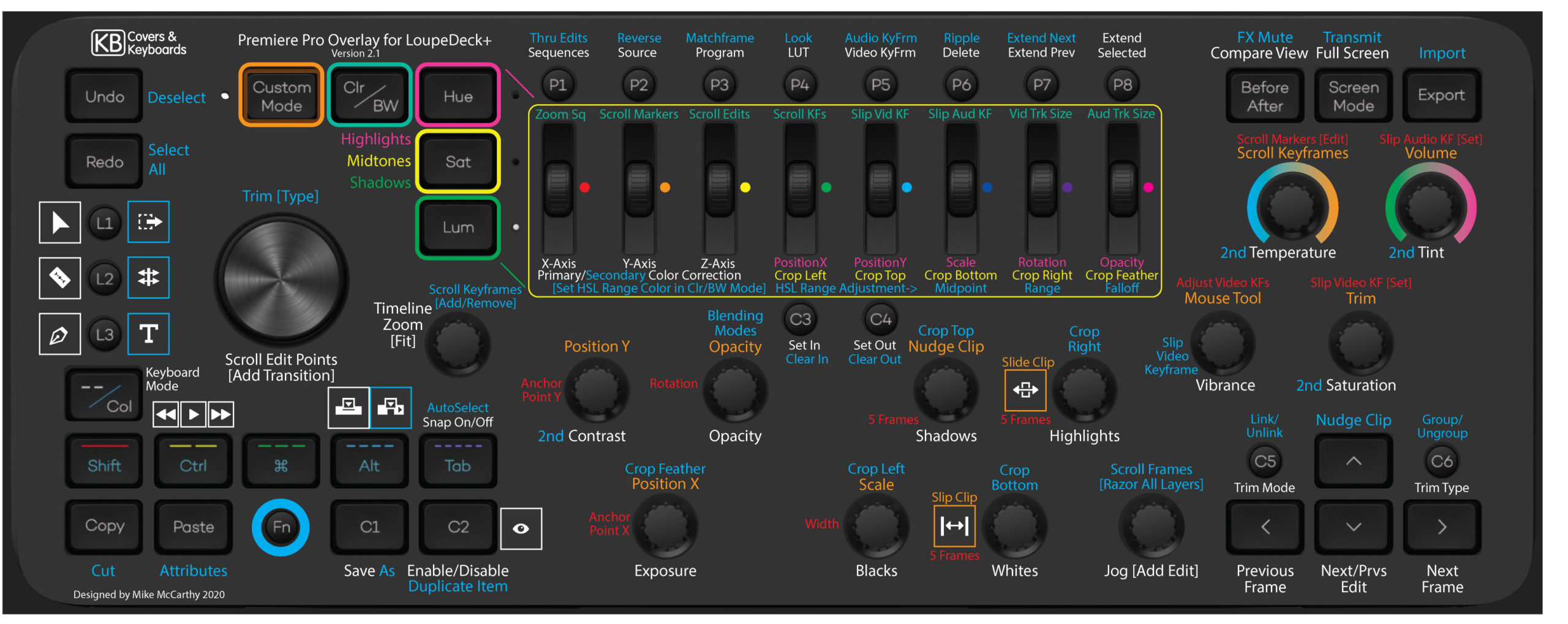
The change to version 2.1 only introduced a couple minor changes, swapping certain buttons like Select All and Deselect, to be more consistent with AE and PS.
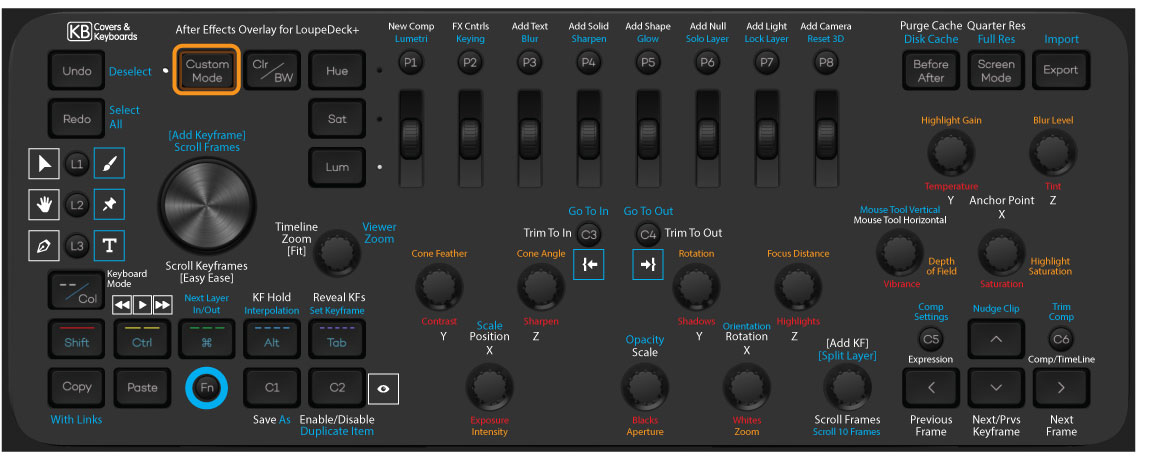
After Effects Overlay 2.0 (Download Preset 54B)
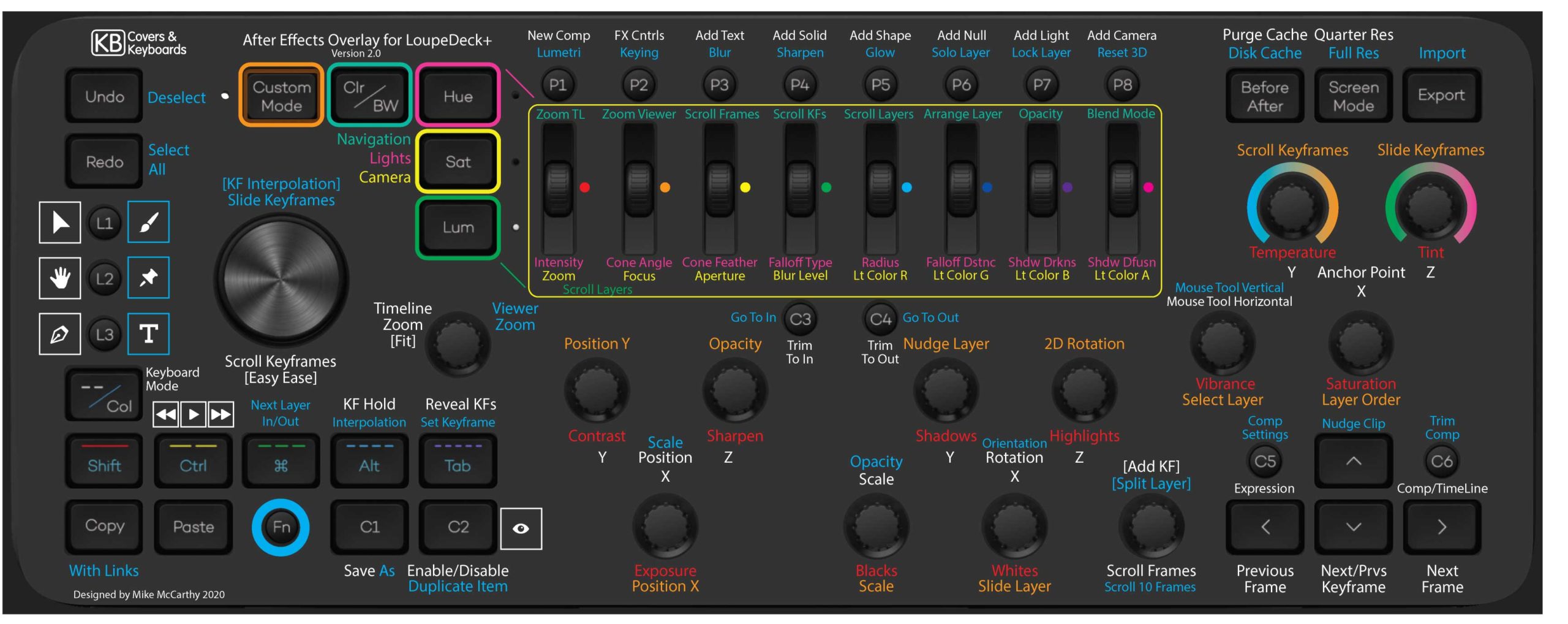
The update to 2.0 adds features to the rollers, and replaces the custom dial mappings with functions that match the Premiere dials, making it easier to move between applications with similar controls.
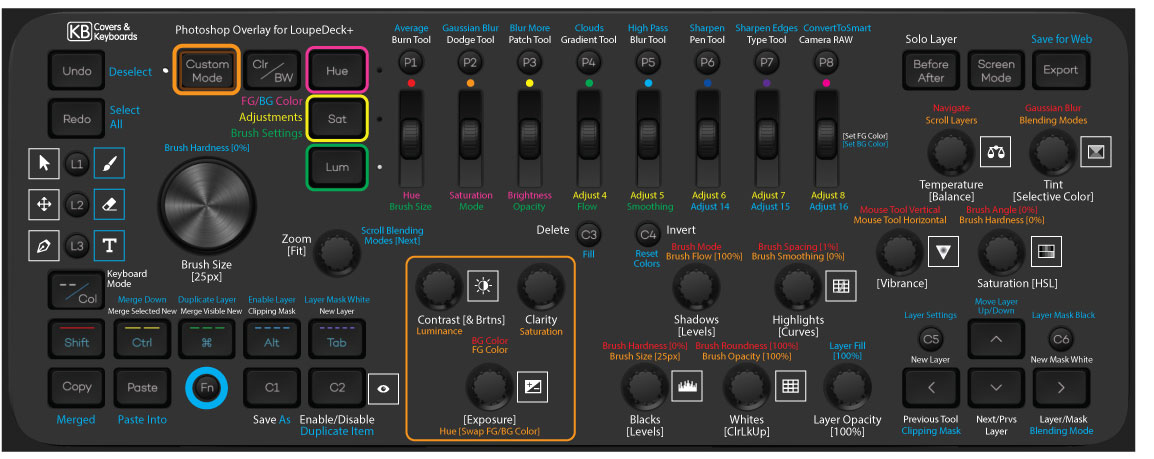
Photoshop Overlay 1.1 (Download Preset 54B) Youtube Video
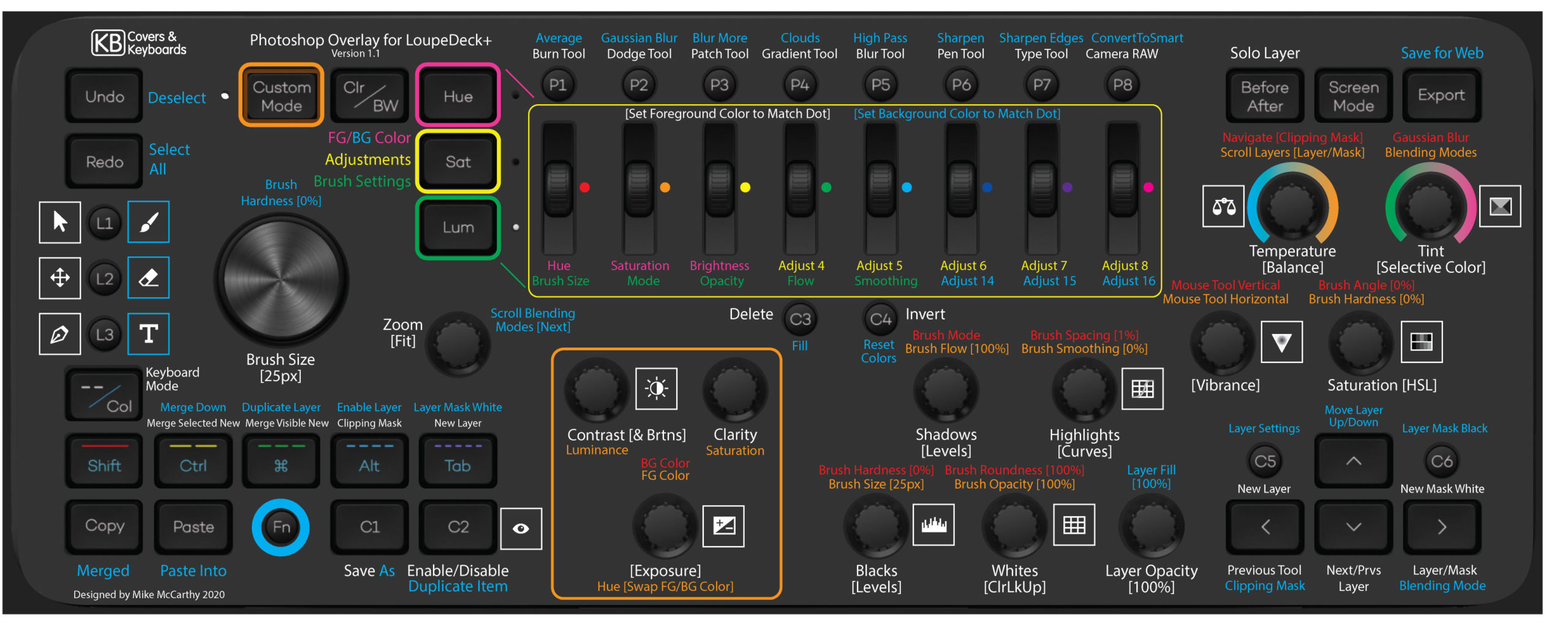
The 1.1 update is mostly graphics improvements, with the tint and temperature visually illustrated, and things like that. Functions were added for pressing certain dials, detailed in the preset’s instructions.
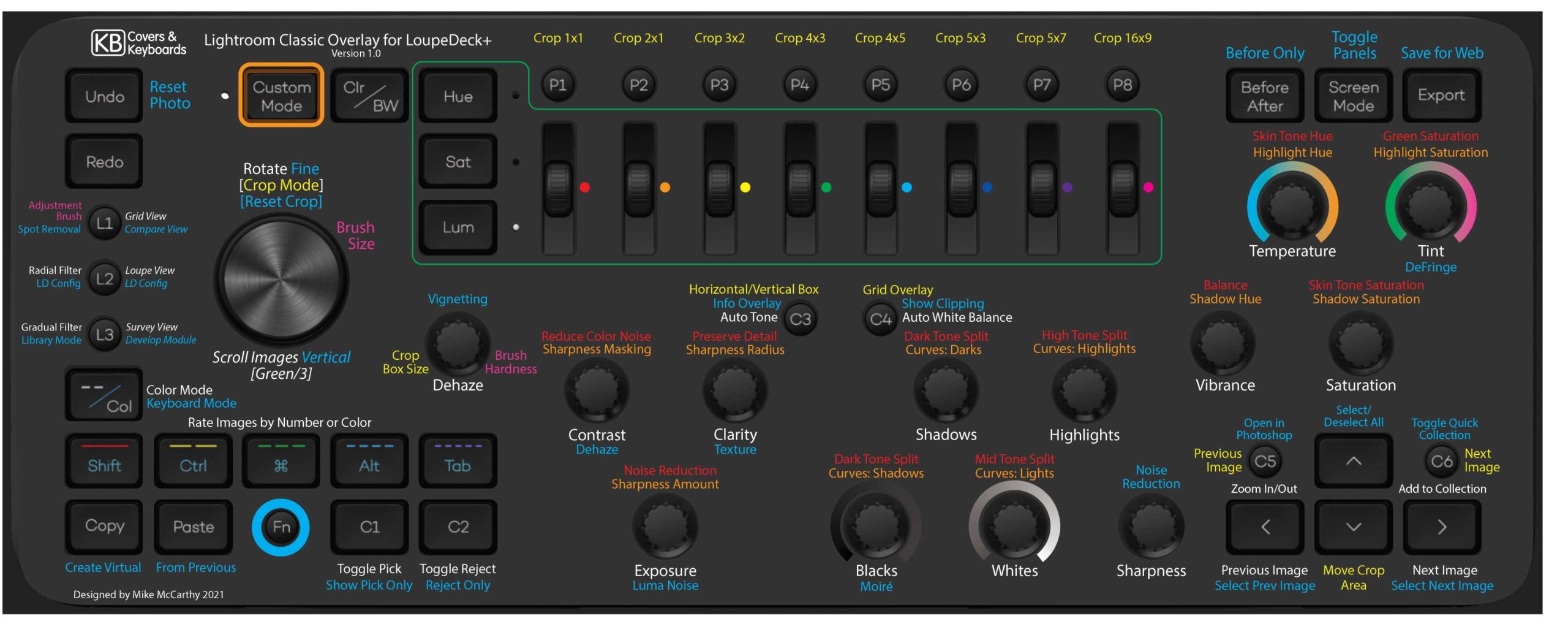
Lightroom Overlay 1.0 (Uses the default Loupedeck mappings)
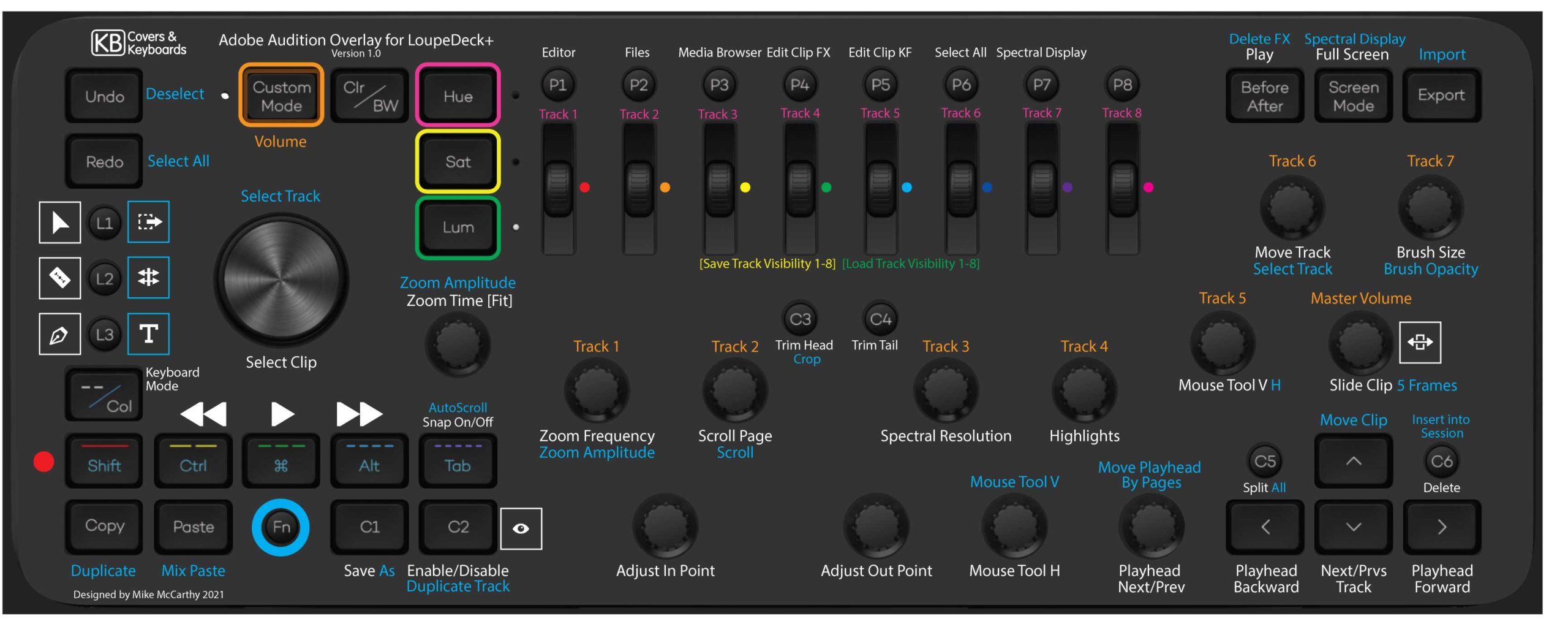
Audition Overlay 1.0 (Download Preset 54A)
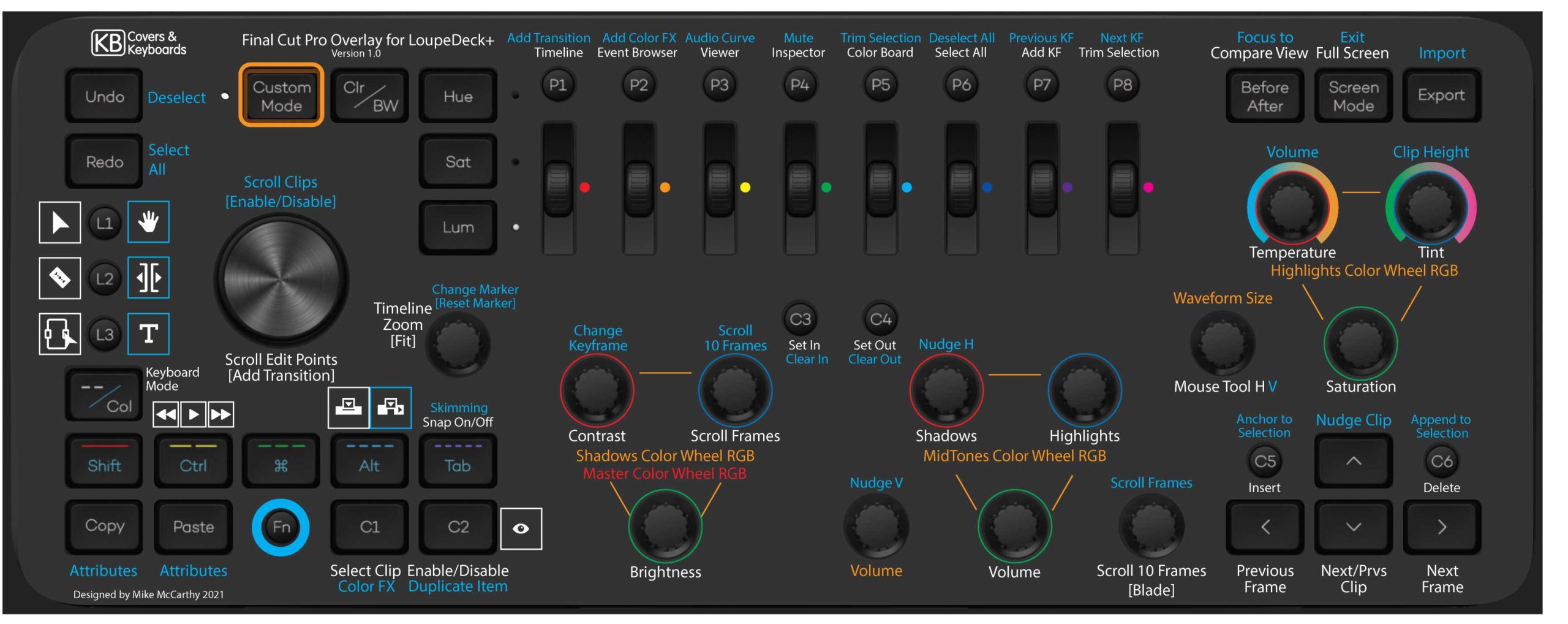
Final Cut Pro Overlay 1.0 (Download Preset 56A)
Customizable Overlay (Create your own presets)
 This customizable option is a mostly empty overlay, that you can label with your own customized commands. We recommend using metallic Sharpie’s or Sakura Gelly Roll Pens (Colored or White) for best results.
Older Versions:
Premiere Pro Overlay 2.0 (Download Preset V2B)
After Effects Overlay 1.0 (Download Preset V1E)
Photoshop Overlay 1.0 (Download Preset V1E)
Premiere Pro Overlay 1.0 (Download Preset V1E)